






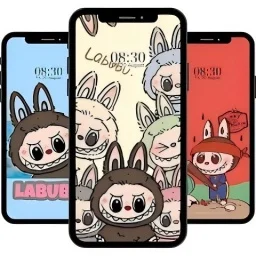
Cute Labubu Wallpaper
 Casual Games Categories
 Oct 5, 2024 Released on
4.2 ★★★★★
| Platform | Android, iOS |
| Current Version | 1.2 |
| Developer | JJWall |
| Installs | 100K+ |
| Updated | Aug 22, 2025 |
| Size | 107 MB |
Game Description:
Discover the cuteness overload of adorable Labubu pandas with our wallpaper app, designed for panda enthusiasts everywhere! Immerse yourself in a delightful collection of sweet, heartwarming panda-themed wallpapers that are easy to apply while keeping your device running smoothly and minimizing data usage.
Labubu Panda Wallpaper App is a fan-made, unofficial project dedicated to spreading joy to panda lovers worldwide.
Screenshots:
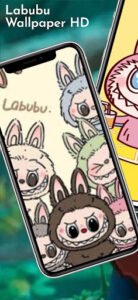
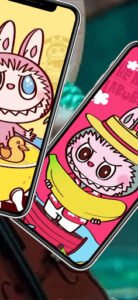
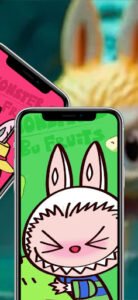
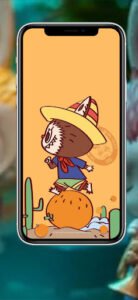
How to Play Cute Labubu Wallpaper?
Cute Labubu Wallpaper is a mobile wallpaper app specifically designed for Labubu enthusiasts. Its user interface is simple and intuitive, making it easy for even novice users unfamiliar with mobile settings to master quickly. Upon opening the app, the home screen automatically loads currently recommended or popular Labubu wallpapers, all of which are high-definition quality and compatible with various smartphone screens. Users can swipe through the home screen to browse, or click the magnifying glass icon in the top-right corner to quickly search for topics of interest using keywords such as “forest,” “Halloween,” or “black-and-white illustrations.” Search results are displayed in a cascading feed format, making it easy to browse and select wallpapers at a glance.
When you find a wallpaper you like, clicking on the image will take you to the preview interface. On the preview page, you can view the full wallpaper image, recommended screen adaptation effects, and three setting options: “Set as Home Screen,” “Set as Lock Screen,” and “Set Both.” Simply click the corresponding button, and the app will automatically complete the change without requiring users to navigate to system settings or manually crop the image, making it very convenient. If you wish to preview how the wallpaper will appear on your phone beforehand, you can click the “Preview Mode” feature to display the wallpaper directly on a simulated phone interface, allowing you to more clearly assess whether the image layout aligns with your preferences.
 App Store
 Google Play