



Chrome Dino Game Run
Share:


Chrome Dino Game Run Description:
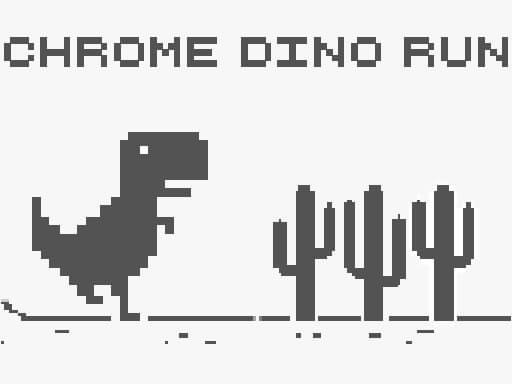
An 8-bit game for people who love old-school-style graphics, with a dinosaur in an infinite desert. Your goal is to avoid cacti. Each time you jump over a cactus, you get one point. Claim that you are the best at this game and show your skills to your friends by scoring the highest! Let the Chrome Dino run begin!
This game is the iconic endless runner game originally hidden inside Google Chrome. Launched in 2014 as a fun easter egg, it was designed to keep users entertained whenever their internet connection dropped. Starring a pixelated T-Rex, Chrome Dino Run has become a global favorite, with hundreds of millions of players enjoying its simple yet addictive gameplay every month.
Chrome Dino Game is also known as Dinosaur Game, T-Rex Game, Dino Dun, No Internet Game, Google Dinosaur Game, and Chrome Dino. You can play it for free on your PC, mobile phone, or tablet—anytime, anywhere.
What Is the Chrome Dino Game?
The Chrome Dino game is a free running game built right into Google Chrome. You don’t need to download anything. It pops up when your internet connection drops, showing a small pixel dinosaur standing in a desert. Press space or tap the screen, and the dinosaur starts running, jumping over cactus plants and ducking under flying birds. Google’s own Chromium project has confirmed the game runs completely offline, with no ads and no data tracking. Millions of people play it every single day, often without even meaning to. It’s simple, it’s fast, and honestly, it’s kind of addictive once you start.
Why Do People Love Playing Google Dino Game So Much?
People love this game because it asks nothing of you. No app store. No loading screen that takes forever. You just press one button, and you’re playing. A lot of players say it helps them pass the time during boring internet outages, waiting rooms, or slow commutes. There’s also a competitive streak to it. Once you see your score climbing past a thousand, you want more. Game designers call this a “one more try” loop, and it’s the same trick used in games like Flappy Bird. Simple rules plus rising difficulty equals hours of replay value.
How to Access Chrome Dinosaur on Your Own Device
You do not have to wait for your home internet router to crash just to enjoy a quick gaming session. You can open your Google Chrome browser right now and type a simple web address into your URL bar.
- Open Google Chrome on your phone, tablet, or computer.
- Type chrome://dino into your address bar and hit Enter.
- Or simply turn off your Wi-Fi and refresh any page; the game will load automatically.
- Press the space bar on a computer, or tap the screen on mobile, to start running.
- Use the down arrow key to duck under birds if you’re on a keyboard.
Also, you can search “dinosaur game” or “play chrome dino game” directly in Google, and a playable version often loads right in the search results.
How to Play Chrome Dino Game Like a Pro
Playing well comes down to timing, not speed. The game moves faster the longer you survive, so your reflexes need to sharpen as you go. Watch the obstacles a few steps ahead instead of staring at your dinosaur. Small cactus clusters need a quick tap, while tall triple cactus rows need a longer jump. Birds fly at three different heights, so sometimes you duck, sometimes you jump right through the gap. Most experienced players agree that ducking too early is the number one reason for crashing into birds. Practice for ten minutes a day, and your muscle memory will catch up fast.
Tips to Beat the High Score in Dinosaur Game
Here are tips that real players and speedrunners actually use:
- Stay calm after 300 points. This is where speed jumps noticeably, and panic causes most crashes.
- Use a keyboard over touchscreen. Reaction time is faster with a physical spacebar.
- Don’t hold the jump button. Short, sharp taps give you better control over jump height.
- Watch for double birds. They appear together and trick players into mistimed ducks.
- Take breaks every 500 points. Eye fatigue slows your reaction speed more than you’d think.
- Practice on desktop first. It’s easier to learn obstacle patterns before switching to mobile.
Experience the classic Dinosaur Game like never before. Only on MyPokii! – Noob vs Bacon Jumping, Obby vs Bacon MCSkyblock.
Frequently Asked Questions
What is after 99999 in the Chrome Dino game?
The score caps at 99,999 and simply repeats or flashes at that number. The game doesn’t add new levels or challenges past this point since it already reached top speed.
Does Chrome Dino end?
No, it runs endlessly until you hit an obstacle. The only cap is the score display, which stops counting past 99,999 points.
What is the highest Chrome Dino score?
The game’s display maxes out at 99,999 points, though most players never get close to this since it requires nearly flawless play for a very long stretch of time.
 Similar Online Games