





Mario Kart Tour
 Casual Games Categories
 Sep 24, 2019 Released on
4.3 
| Platform | Android, iOS |
| Current Version | 3.7.0 |
| Developer | Nintendo Co., Ltd. |
| Installs | 100M+ |
| Updated | Nov 6, 2025 |
| Size | 78 MB |
Game Description:
Mario Kart Tour is a popular mobile racing game developed by Nintendo. It brings the beloved characters and vibrant tracks from the iconic Mario Kart series to your fingertips, allowing you to race against players from around the world in exhilarating kart races. With its accessible gameplay, stunning visuals, and engaging features, Mario Kart Tour offers an immersive and thrilling racing experience for fans of all ages.
The game features a wide array of familiar characters from the Mario franchise, including Mario, Luigi, Princess Peach, Yoshi, and many more. Each character has unique abilities and special items that can be used strategically during races. Whether you prefer the speed and agility of Mario or the off-road capabilities of Donkey Kong, there’s a character to suit every playstyle.
Mario Kart Tour offers a variety of race modes and tracks inspired by classic locations from the Mario universe. From the sunny beaches of Koopa Troopa Beach to the treacherous twists and turns of Rainbow Road, each track is filled with challenging obstacles, shortcuts, and interactive elements. The races take place in different themed cups, with each cup containing a selection of tracks to compete on.
The gameplay mechanics of Mario Kart Tour are intuitive and easy to grasp, making it accessible to both casual players and racing enthusiasts. The karts move automatically, and your main focus is to steer, drift, and utilize items strategically to gain an advantage over your opponents. Tapping and holding on the screen allows you to perform drifts and release at the right time to get a boost, helping you maintain your lead or catch up to rivals.
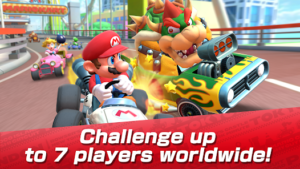
One of the most exciting aspects of Mario Kart Tour is the multiplayer mode. Players can compete against friends and other racers worldwide in real-time races. This adds a competitive element to the game, as you battle it out for a higher rank on the global leaderboard. Participating in multiplayer races also grants you additional rewards and unlocks, encouraging repeated play.
In addition to the multiplayer races, Mario Kart Tour offers various single-player challenges and modes to keep you entertained. The game features a Tour mode, where you race through different cups, each with its own set of tracks and goals to complete. By achieving specific objectives, you earn Grand Stars that help unlock new cups, characters, and kart customization options.
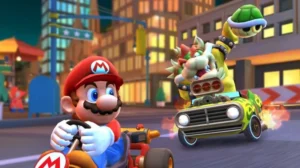
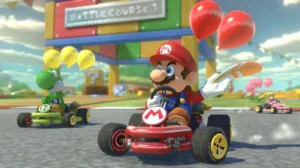
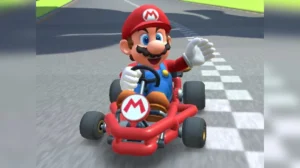
Screenshots:
How to Play Mario Kart Tour?
Launch the Game: Open the game by tapping on the Mario Kart Tour icon on your home screen. The game will load, and you will be greeted with the main menu.
Create an Account: If you’re a new player, you’ll need to create an account to save your progress. Follow the on-screen prompts to create an account using your preferred method (such as linking to a Nintendo account or using your Google or Apple account).
Select Your Character: After creating an account or signing in, you’ll be prompted to choose your character. Scroll through the available options and select your favorite Mario character to represent you in the races.
Choose a Control Method: Mario Kart Tour offers two control methods: “Simple” and “Drift.” In Simple mode, the kart accelerates automatically, and you use swiping gestures to steer and activate power-ups. In Drift mode, you have more control over acceleration and can perform drifts for speed boosts. Choose the control method that suits your preference and play style.
Start Racing: Once you’ve selected your character and control method, it’s time to start racing! Tap on the “Race” button to enter the race menu.
Select a Cup: In the race menu, you’ll see a selection of cups to choose from. Cups consist of several individual tracks that you need to complete. At the beginning, only a few cups will be available. As you progress in the game, more cups and tracks will unlock.
Choose a Track: Tap on the cup you want to race in. You’ll see a list of available tracks within that cup. Select the track you want to race on by tapping on it.
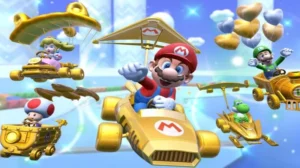
Customize Your Loadout: Before starting the race, you can customize your loadout. This includes selecting your kart and glider. Each kart and glider has different stats that can affect your performance on the track. Choose the ones that suit your play style and preferences.
Race and Collect Points: Once you’re ready, tap on the “Start” button to begin the race. During the race, use your chosen control method to steer your kart, avoid obstacles, and collect items from item boxes along the track. Items can be used strategically to gain an advantage or hinder your opponents. Race to the best of your ability, aiming for the highest position and collecting as many points as possible.
Unlock Rewards and Progress: After completing a race, you’ll earn rewards based on your performance, such as coins, rubies, and experience points. Coins can be used to purchase new karts, gliders, and other items. Rubies are a premium currency that can be used to obtain rare characters and equipment. Experience points help you level up, unlocking more content and features in the game.
Repeat and Explore: Continue racing in different cups, tracks, and game modes to earn more rewards, unlock new content, and improve your skills. Mario Kart Tour offers a range of features, including multiplayer races, limited-time events, and special tours that introduce unique challenges and rewards.
Remember to have fun and embrace the thrilling world of Mario Kart Tour as you compete against friends and players from around the globe. Sharpen your racing skills, master the tracks, and aim for the top spot in the leaderboards. Good luck, and may the Mushroom Kingdom’s best racer win!
 App Store
 Google Play