






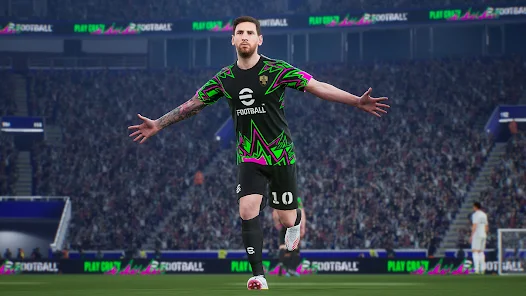

eFootball™ 2026
 Sports Games Categories
 23 May, 2017 Released on
4.4 ★★★★★
| Platform | Android, iOS |
| Current Version | 10.3.0 |
| Developer | KONAMI |
| Installs | 10 Cr+ |
| Updated | 4 Feb, 2026 |
| Size | 3 GB |
eFootball™ – An Evolution from “PES” Game:
“eFootball™” – An Evolution from “PES”
It’s an all-new era of digital football: “PES” has now evolved into “eFootball™”! And now you can experience the next generation of football gaming with “eFootball™”!
We have also added the Smart Assist setting to help users enjoy the fun and excitement of playing matches.
Without entering complex commands, get past the opposing defence with a brilliant dribble or pass, then score a goal with a powerful shot.
Screenshots:

How to Play eFootball 2026?
- Start Off With Your Favourite Team
Whether it’s a club or national side from Europe, the Americas, Asia or elsewhere around the world, begin a new game with the team you support! - Sign Players
After creating your team, it’s time to get some signings in! From current superstars to footballing legends; sign players and take your team to new heights! - Playing Matches
Once you have built a team with your favourite players, it’s time to take them to the pitch.
From testing your skills against the AI, to competing for ranking in Online Matches; enjoy eFootball™ the way you like! - Player Development
Depending on Player Types, signed players can be further developed.
Level up players by putting them in matches or using in-game items, then spend the Progression Points acquired to increase Player Stats.
There is a very specific kind of heartbreak that comes from conceding a 90th-minute goal, and an unmatched thrill when you are the one scoring it. If you grew up hosting weekend tournaments with your friends, you already know the vibe. But the game has changed.
For the veterans wondering where their favorite franchise went: PES is now called eFootball™.
With the massive eFootball 2026 download finally dropping, Konami has completely leveled up the virtual pitch. The barrier to entry? Zero. eFootball is free to play, meaning you can build your dream squad without emptying your wallet. Whether you are a tactical mastermind or just want to score screamers after a long day at work, here is your ultimate guide to dominating eFootball™ this year.
The Ultimate eFootball 2026 Download Guide 2026
You can play Efootball free to play online 2026 virtually anywhere. Here is how to get it running on your device of choice:
Enjoy the best soccer on PC: For the highest frame rates and crispest graphics, the eFootball download PC version is available directly via Steam. Just search, click install, and you are on the pitch.
Efootball free to play online PS4 / Consoles: Head straight to the PlayStation Store or Xbox Store. It is a completely free download.
How to Download eFootball 2026 on Android: Simply open the Google Play Store and search for the game. If you are in a region with restrictions, ensure you are downloading a verified Efootball free to play online apk to avoid malware.
How to Download eFootball 2026 on iOS: Open the Apple App Store, search for eFootball, and tap get. Make sure you have at least 4GB of free space!
Storage Full? Play eFootball Online Without Downloading
We have all been there—you want to play a quick match, but your phone is out of storage, or your work laptop simply cannot handle heavy graphics. The biggest game-changer this year is eFootball cloud gaming free services.
Yes, you can actually play eFootball without downloading.
By searching for Efootball free to play online without downloading, you can use browser-based cloud platforms to stream the game instantly. It delivers the full eFootball free play online experience straight to your screen without eating up a single gigabyte of your hard drive.
🚨 Crucial Cloud Gaming Warning
Why You Shouldn’t Play eFootball™ 2026 as a Guest on Easyfun (or any cloud platform): It is incredibly tempting to just click “Play as Guest” to skip the sign-up screen. Do not do this. If you build an incredible roster, pack a legendary Messi card, and then close your browser—it is gone forever. The heartbreak of losing your progress is brutal. Always take the 60 seconds to create an account and log in.
Pro Tips to Dominate the Pitch
How to Log In or Transfer Your Save Data
If you played last year, don’t start from scratch! Go to the “Extras” menu, select “Support,” and hit “Data Transfer.” Link your Konami ID or Google Play/Game Center account. Your hard-earned GP, eFootball Coins, and star players will seamlessly carry over to 2026.
Step Up Your eFootball™ 2026 Experience with Custom Key Mapping.
Whether you are on a keyboard, a Bluetooth controller, or using touchscreen controls, do not settle for the default setup if it feels clunky. Go into your control settings and remap your buttons. Moving the “Sprint” or “Finesse Shot” to a bumper that feels more natural to your fingers can be the split-second difference between losing possession and scoring a top-corner volley.
 App Store
 Google Play